问题描述
在运行自己训练出来的模型的时候,要么就显示一下画面就卡住了,要么就是没有任何识别框,下面是代码和模型训练的参数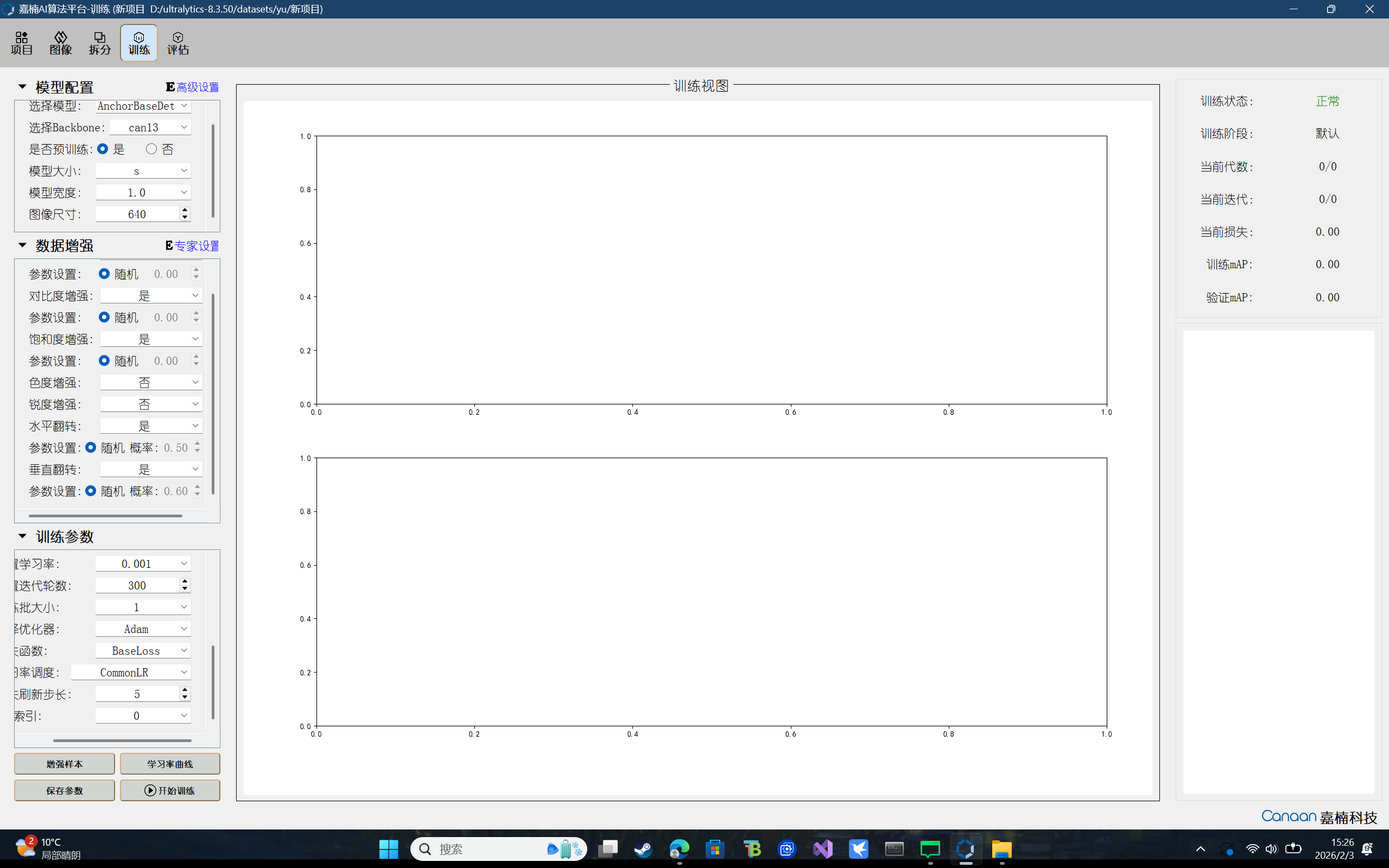
from libs.PipeLine import PipeLine
from libs.YOLO import YOLO11
from libs.Utils import *
import os,sys,gc
import ulab.numpy as np
import image

if __name__=="__main__":
    # 这里仅为示例,自定义场景请修改为您自己的模型路径、标签名称、模型输入大小
    kmodel_path="/sdcard/best_AnchorBaseDet_can13_5_n_20260203122319.kmodel"
    labels = ["filemot"]
    model_input_size=[320,320]

    # 添加显示模式,默认hdmi,可选hdmi/lcd/lt9611/st7701/hx8399,其中hdmi默认置为lt9611,分辨率1920*1080;lcd默认置为st7701,分辨率800*480
    display_mode="lcd"
    rgb888p_size=[320,320]
    confidence_threshold = 0.5
    nms_threshold=0.45
    mask_threshold=0.5
    # 初始化PipeLine
    pl=PipeLine(rgb888p_size=rgb888p_size,display_mode=display_mode)
    pl.create()
    display_size=pl.get_display_size()
    # 初始化YOLO11实例
    yolo=YOLO11(task_type="segment",mode="video",kmodel_path=kmodel_path,labels=labels,rgb888p_size=rgb888p_size,model_input_size=model_input_size,display_size=display_size,conf_thresh=confidence_threshold,nms_thresh=nms_threshold,mask_thresh=mask_threshold,max_boxes_num=50,debug_mode=0)
    yolo.config_preprocess()
    while True:
        with ScopedTiming("total",1):
            # 逐帧推理
            img=pl.get_frame()
            res=yolo.run(img)
            yolo.draw_result(res,pl.osd_img)
            pl.show_image()
            gc.collect()
    yolo.deinit()
    pl.destroy()
硬件板卡
亚博
软件版本
CanMV_K230_YAHBOOM_micropython_local_nncase_v2.9.0
